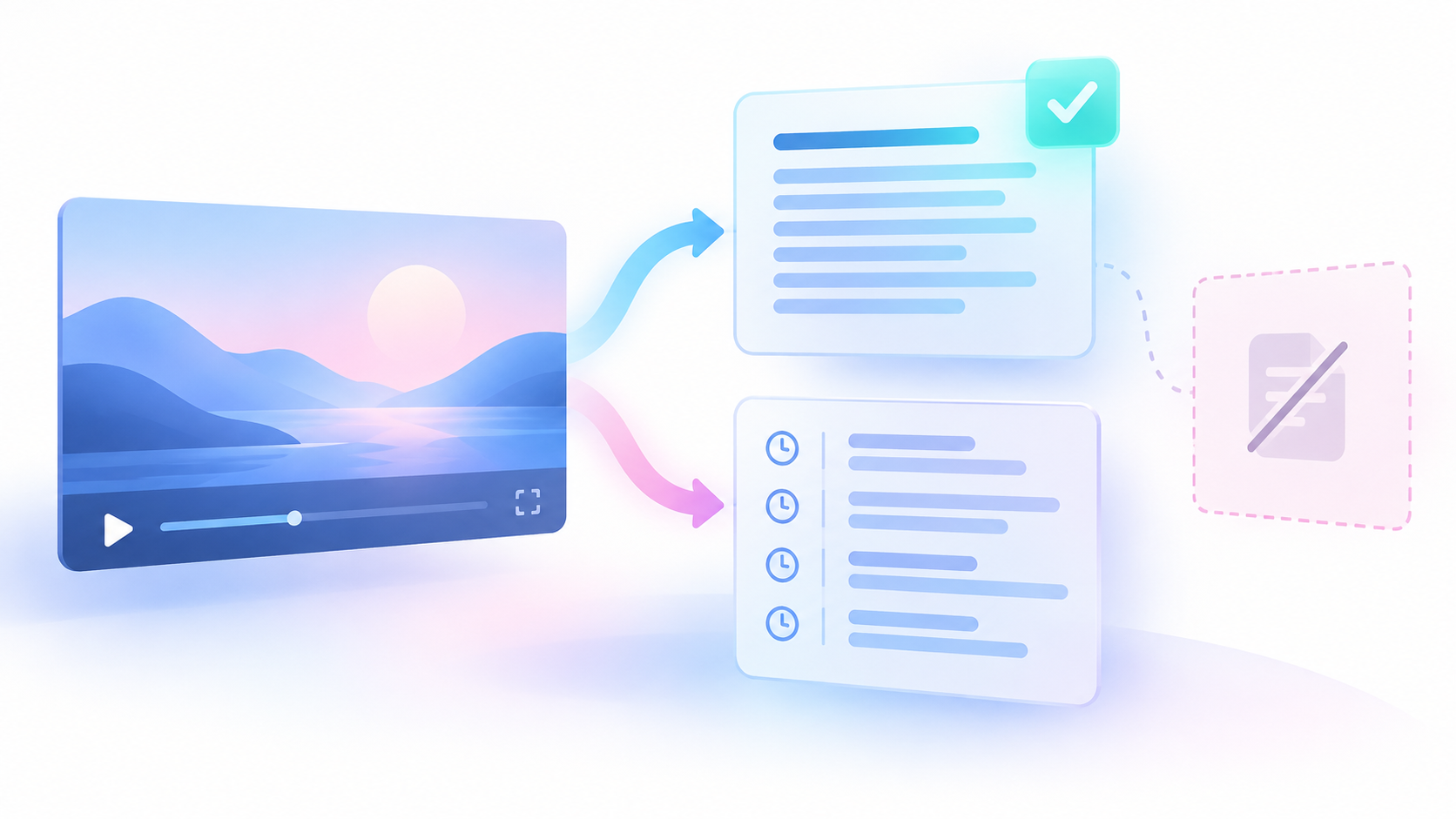
A quotation record is the note you keep for one passage. Some people call this note a quotation ledger. It stores the claim, the source, the times, the raw caption, the checked words, and the review state.
What the timed caption gives you
An Actor is a hosted data collection program. The YouTube Transcript Actor reads a public caption track for a video URL you already know. A caption track is timed text stored with the video. The Actor copies that stored text. It does not turn speech into new text. It does not identify speakers. It does not check facts. It cannot prove that a quote is exact.
A Task is a saved input preset. The YouTube timestamped transcript JSON Task is the published starting input. It requests JSON timed segments. JSON is a way to write field names and values as text. A published Task is only a starting input. It does not do this quotation check for you.
YouTube Transcript public build 0.1.43 accepts four input fields.
- `startUrls` holds known video URLs or video IDs.
- `preferredLanguages` holds language codes you prefer. An empty list does not force a language.
- `outputFormats` asks for the result form. Use JSON.
- `includeFailedInputDetails` set to true asks for a detail row when an input fails.
The published Task includes three sample video URLs. Those samples are not your source. Replace the whole list with one known public video. If you leave the samples, you may read a row from the wrong video. Keep the output format as JSON. Keep `includeFailedInputDetails` set to true. A failed row can explain the failure. A failed row is not a verified quote. The Actor does not find videos inside a channel. It does not find videos inside a playlist.
{
  "startUrls": ["https://www.youtube.com/watch?v=YOUR_VIDEO_ID"],
  "preferredLanguages": [],
  "outputFormats": ["json"],
  "includeFailedInputDetails": true
}Put your real public video URL in `startUrls`. Delete every sample URL. The outer braces start and end the input. Square brackets start and end a list. If you know the spoken language, put its language code in `preferredLanguages`. If you do not know it, keep the empty list. An empty language list does not mean the captions are English.
A compatible check sent back one succeeded row. That row had a nonempty manual English caption track. Manual means a person prepared the track, not an automatic track. The timed segments belonged to the intended video. You may reuse that status fact. Do not reuse words from a sample video. Those words are not part of this method.
A row is one result for one video. Keep every returned field as it arrived. Useful fields are:
- `videoId` is the public ID of the video.
- `videoUrl` is the public address of the video.
- `transcriptLanguageCode` is the caption language code.
- `isAutoGenerated` says whether YouTube made the track automatically. The compatible check used a manual English track, so that track was not automatic. If this field is null, you do not know how the track was made.
- `text` is caption text on the row. Each segment also has its own `text`. Keep both.
- `segments` is the list of timed pieces. A segment is one timed piece of the caption track.
- `status` says what happened for that input. The compatible check used succeeded. If status is not succeeded, do not quote from that row.
- `scrapedAt` is when the row was collected. It is not a speech time.
Each segment keeps `startSeconds`, `endSeconds`, `durationSeconds`, and `text`. `startSeconds` is when the piece begins, counted from the start of that video. `endSeconds` is when it ends. `durationSeconds` is the length the Actor sent. If a value is null, leave it null. Null means the value is absent. Absent is not the same as zero.
You can check a length with plain subtraction. Passage length = end seconds - start seconds. If your subtraction does not match `durationSeconds`, keep the Actor value. Note the difference in your quotation record. Do not replace the Actor value.
A caption can still be wrong after status succeeded. Segments can overlap. Keep both overlapping segments. Do not combine them into a new sentence. The track can omit a speaker change. It can omit something on screen that changes the meaning. Keep the original text and the original times. Do not invent a speaker label. Do not replace a source time with a guessed time.
If a video is private, you get no verified quote. If it was removed, you get no verified quote. If it has no captions, you get no verified quote. You may listen and write a human transcription. A transcription is the words you write after you listen. Label it as your own transcription. Do not say the Actor created it.
`transcriptLanguageCode` does not prove the spoken words. If you translate, label the translation. Do not present a translation as an exact quote in the original language.
The setup keeps one run summary before the wording review. inputsReceived is the number of inputs that entered the run. uniqueVideosPlanned is the number of different videos the run planned to open. rowsWritten is the number of successful transcript rows. successfulTranscriptRows is the number of successful transcript rows. A transcript is the written caption text with its times. rowsWritten and successfulTranscriptRows do not count stored failure-detail rows. failedInputs is the number of failed caption inputs. failedInputs does not count unfinished work. duplicateVideosSkipped is the number of repeated videos the run did not open again. statusCounts is the number of processed input outcomes for each track status. These outcomes include failures. Track status is the result label for one caption track. errorCodeCounts is the number of failures for each error code. An error code is the short name of one failure type. failedInputDetails is the list of each failed input and its error. includeFailedInputDetails: true can store failure-detail rows. Those failure-detail rows are separate from the successful transcript counts. Reconcile these records before you review wording. Reconcile means you compare them until they agree. The intended video, the track language, the track status, the succeeded rows, the failed counts, and the failure list must all agree. The intended video is the video the run was meant to open. Track language is the language label on that caption track. A successful extraction only shows that the run found the captions and their times. It does not prove that the quoted words, the speaker, or the claim are correct.
Check the words in eight steps
Do these steps for each short passage you may quote.
- Write the claim that the quotation should support.
Write the claim as one sentence before you choose words. Then choose one known public video. Choose one short candidate passage. You must check the spoken words yourself. A retrieved text chunk is only a pointer. A note about where you clicked is only a pointer. Neither one is the quotation. If the claim is not written first, it is easy to delete words until a different claim appears.
- Get the current timed JSON, or inspect the video by hand.
Save the source ID, the source URL, the language code, the status, and the original segment text and times. If captions are missing, listen and write a human transcription. Label that transcription. Do not say the Actor made it. Leave the raw caption track unchanged after you find an error. The raw track shows what the Actor sent. Your correction belongs in the quotation record, not inside that track.
- Open the passage at the candidate times.
Play enough video before the line and after the line. Those surrounding words and pictures are the context. Context shows who is speaking. It shows what a word such as "it" or "they" points to. It shows a condition, a unit, and a negation. A negation is a word such as "not". A condition is a requirement that must be true before the action. A unit is the measure, such as cups or minutes. Watch the picture when the picture can change the meaning. A punctuation mark in the caption does not prove how the person spoke. A speaker name in the caption does not prove who spoke. A short segment can omit a negation that was spoken just before it. Include the neighboring segment when the condition sits there.
- Listen again and write the words you need.
Listen once without looking at the caption. Write a transcription of only the exact words you need. Replay any word you are not sure about. If a wrong word would cause a serious false claim, ask another reader to listen. If the audio is unclear, write "unclear". Do not fill the gap with a likely word. Name the speaker only from an introduction or from another explicit statement in the source. A voice that sounds familiar is not identity. A caption guess is not identity. If the source does not name the speaker, write "unknown". Unknown stays unknown. Do not write a name, and do not write zero.
- Compare the caption words with your checked words.
Write the correction reason in the quotation record. Write the source interval you heard. Do not change the raw caption text. Do not change the raw times. Your checked wording is your transcription. It is not a new field from the Actor. Do not polish a sentence and still keep quotation marks. A polished sentence may be easier to read and still be false to the source. Quotation marks promise the checked words.
- Choose a direct quotation or a paraphrase.
A direct quotation repeats the checked wording and uses quotation marks. A paraphrase is the same meaning in your own new words. A paraphrase uses no quotation marks and still links the source. You may omit words only when the meaning stays the same. Do not omit a condition. Do not omit a negation. If you remove a word such as "not", you can reverse the meaning. Follow the quote limits of the place where you publish. This method does not tell you what copyright law allows. Do not copy a long excerpt from a real video.
- Save the quotation record.
Include the claim, the source URL, and the source ID. Include the passage start seconds and end seconds. Include the language, the speaker evidence, and the raw caption excerpt. Include the checked wording, the check method, and the check time. Include a context note, the correction, and the review state. Cite a moment a reader can open. On a computer, YouTube can share a link that starts at a chosen time. YouTube calls this Start at. The help page is YouTube sharing help: Start at. Test a real time link before you cite it. Confirm that it opens the intended video at the intended time. Keep `videoUrl` in the raw row. A moment link is for the reader. It does not prove the quote. It does not prove the claim. A reviewer who cannot open the moment cannot check your words. A link that opens the moment is still only navigation.
- Have a reviewer open the passage before you publish.
The reviewer compares the final quotation with the audio. The reviewer also compares it with the claim beside it. If a needed word is unresolved, keep the review state `needs_review`. If the speaker is not shown by the source, keep `needs_review`. Do not publish a `needs_review` quotation as if it were checked. `verified_wording` means the words and the speaker evidence were checked. It does not mean the claim was proved. An accurate transcription can still express an unsupported claim. Keep the wording check separate from the claim check. A reviewer listens again, so one listener is not the only check. The reviewer does not make a false claim true.
Worked example: original fiction
The garden lesson in this section is original fiction. It is not a result from the Actor. It is not a real video, and it is not a real speaker. No picture fact is supplied here. Do not add one.
The fictional source ID is the placeholder VIDEO_ID. A raw caption segment from 42 seconds to 48 seconds reads: "add water when the tray is level." The listener then plays from 38 seconds to 51 seconds. In that wider window, the speaker says: "Do not add water until the tray is level."
The caption omits the negation "not". It also omits "until", and "until" holds the timing condition. A reader who quotes only the raw caption will teach the opposite action. The checked short quote is: "Do not add water until the tray is level."
Passage length = end seconds - start seconds. The caption interval is 48 - 42 = 6 seconds. The listening window is 51 - 38 = 13 seconds. Save both intervals. The short interval is the raw segment. The longer interval is the context you heard.
The fictional introduction names Speaker A. Save that introduction as the speaker evidence. Leave the raw caption exactly as it arrived. The correction reason is the missing negation and the missing condition. The review state is `verified_wording`. The check time is unknown in this fiction. Unknown is not zero.
A paraphrase is: Wait for a level tray before adding water. Do not put that paraphrase in quotation marks. It is a restatement, not a second verified quotation. A proposed quote of only "Add water" reverses the instruction. It removes the negation and the condition. Reject it.
Candidate 2 is also original fiction. Its caption row succeeded. This fiction does not supply a safe raw sentence for it, so the raw excerpt stays unknown. Do not invent a unit to fill the gap. The unit word on the audio is unclear. The source does not confirm a speaker change. Checked wording is unknown. Speaker is unknown. The passage times are unknown. The review state is `needs_review`. It is not verified.
Two succeeded caption rows do not become two verified quotations. Caption success only shows that a row was returned. Only candidate 1 has checked words, speaker evidence, and a correction reason.
The publication decision is narrow. Publish the direct checked quote from candidate 1 only after a reviewer hears 38 seconds to 51 seconds and agrees. Do not publish the words "Add water" as a quote. Do not publish candidate 2. Keep candidate 2 at `needs_review` until the unit and the speaker are resolved.
A moment link for this fiction follows this pattern only:
https://www.youtube.com/watch?v=VIDEO_ID&t=42sThis pattern is not playable evidence. It is not a live source. Do not publish VIDEO_ID as a factual citation. When you use the method on a real video, cite that real video. Test the real time link first. Keep the quote short. Keep the source context where a reader can see it.
Record 1 (original fiction)
claim: The speaker tells the viewer not to add water until the tray is level.
source id: VIDEO_ID (placeholder, not a real video)
moment link: template only, not playable evidence
passage in seconds: 42
passage out seconds: 48
passage length: 48 - 42 = 6 seconds
wider checked interval: 38 to 51 seconds
wider length: 51 - 38 = 13 seconds
language heard: English
speaker evidence: The fictional introduction names Speaker A.
raw caption excerpt: add water when the tray is level.
checked wording: Do not add water until the tray is level.
check method: Listen from 38 seconds to 51 seconds. Compare with the raw caption. Leave the raw caption unchanged.
check time: unknown
context note: The wider window contains the negation and the condition. No picture fact is supplied.
correction: The caption omitted the negation and the timing condition.
review state: verified_wordingRecord 2 (original fiction)
claim: unknown
source id: VIDEO_ID (same fictional placeholder)
passage in seconds: unknown
passage out seconds: unknown
language heard: unknown
speaker evidence: none. No speaker change is confirmed.
raw caption excerpt: unknown. A caption row succeeded, but its words are not supplied here.
checked wording: unknown. The unit word is unclear in the audio.
check method: Listen. Do not guess the unit. Do not guess the speaker.
check time: unknown
context note: Caption success does not verify the words.
correction: none yet
review state: needs_review| Item | Candidate 1 | Candidate 2 |
|---|---|---|
| Raw caption | add water when the tray is level. | unknown |
| Checked wording | Do not add water until the tray is level. | unknown |
| Speaker evidence | Introduction names Speaker A | unknown |
| Time | 42 to 48 seconds; heard from 38 to 51 seconds | unknown |
| Review state | verified_wording | needs_review |
| Decision | Publish the checked quote after review | Do not publish |
Keep wording accuracy separate from claim truth
A checked quote can still state a weak or false claim. Word accuracy only means you heard those words. It does not mean the claim is true. Verify the claim with evidence that fits that claim. That check is separate from the quotation record. `verified_wording` does not prove the garden instruction, even inside the fiction. It only means the fictional words were checked as spoken.
Sources & further reading
By Chronometrica · Updated
Back to top ↑