Collection setup
You use the YouTube Search Actor to find videos and the YouTube Transcript Actor to get captions. The public Task YouTube Video URLs for Transcript Workflows has a default preset with two generic queries, `maxResults: 100`, `resultsPerQuery: 50`, `maxPagesPerQuery: 1`, `searchDistribution: "balanced"`, `includeShorts: true`, `enableQueryExpansion: false`, `enrichWithVideoMetrics: false`, `enrichMissingChannelFields: true`, and `maxChannelEnrichmentRequests: 100`.
For your pilot check, change your input to one relevant query, `maxResults: 2`, `resultsPerQuery: 2`, `maxPagesPerQuery: 1`, and disable optional channel enrichment (`enrichMissingChannelFields: false`), query expansion, and metrics. The parameter `maxResults` is shared across the run, while `resultsPerQuery` caps each separate search.
The search output returns exact fields: `rootQuery`, `query`, `querySource`, `postId`, `postUrl`, `postType`, `isShort`, `title`, `description`, `channelId`, `channelUrl`, `publishedAt`, `status`, `statusReason`, and `observedAt`. Unknown publication dates remain unknown; do not invent dates from search result positions. A checked two-candidate control stops because it hits `max_items_reached`, not because it covers the full topic.
To collect captions, pass direct video URLs into `startUrls` for the Transcript Actor. Set your `preferredLanguages` policy, choose `outputFormats=["json"]`, and set `includeFailedInputDetails=true` when failure details are needed. The output returns exact keys: `videoId`, `videoUrl`, `transcriptLanguageCode`, `isAutoGenerated`, `segments`, `status`, and `scrapedAt`, plus OUTPUT input failures. One exact discovered URL passed to the Transcript Actor matched its `videoId` and English manual caption identity, language, and timing. This is a one-video bounded pipeline check, not a measure of topic-wide caption availability. Caption acquisition only handles public track availability; it does not generate audio or translate unavailable tracks. One successful video makes one dataset row, but every selected input still needs a ledger outcome.
Eight-action method
- Define research rules: Write down your research questions, language policy, date relevance policy, and inclusion or exclusion rules before you search. Identify what a video must explain to be useful. Do not use view counts to substitute for relevance.
- Run a small query family: Create a small query family covering different question parts. Start with one query and two candidates. Save your input, observation time, limits, and output. Keep query expansion off until its need and behavior are checked.
- Select actual sources: Review titles, descriptions, and the available video source before selecting. Record whether each video is selected, excluded, or pending, along with its reason. A title alone cannot prove the video actually covers your question. Missing publication dates stay unknown; do not label a video recent just because of its rank.
- Normalize video identities: Normalize your data by exact video identity and retain your query and source evidence. Repeated search appearances of one video are not several separate videos. Keep different cuts or uploads as separate source IDs unless a justified study rule groups them.
- Batch caption collection: Give your selected direct video URLs to the Transcript Actor in a small batch. Keep your chosen language policy and check output failures. Caption acquisition handles public track availability; it does not generate audio or translate unavailable tracks.
- Build a caption ledger: Build a ledger for every selected video. Record the selected ID, discovery source, status, caption result identity, language, caption time, failure category, or pending reason. Reconcile selected IDs to successful, failed, not attempted, or unresolved using the output. A successful dataset row count alone hides inputs that produced no row.
- Review quality and coverage: Review track and source quality for your study. Keep the auto or manual status and language alongside your captions. Decide whether unavailable or unmatched videos can be excluded without changing your research question. Report that selection limit instead of dropping videos silently.
- Deliver final artifacts: Deliver your video-selection table, caption ledger, and included source-set definition. Only then use downstream analysis methods. No representative population, topic demand, or complete channel claim follows from this bounded set.
Fictional corpus worked example
All IDs, text, sources, and states in this example are invented. Two query batches produce eight candidate appearances with six unique video IDs. Query one finds videos V1, V2, V3, and V4. Query two finds videos V2, V4, V5, and V6. Reconcile these eight appearances to six unique IDs. Keep both query sources for V2 and V4 as reader notes.
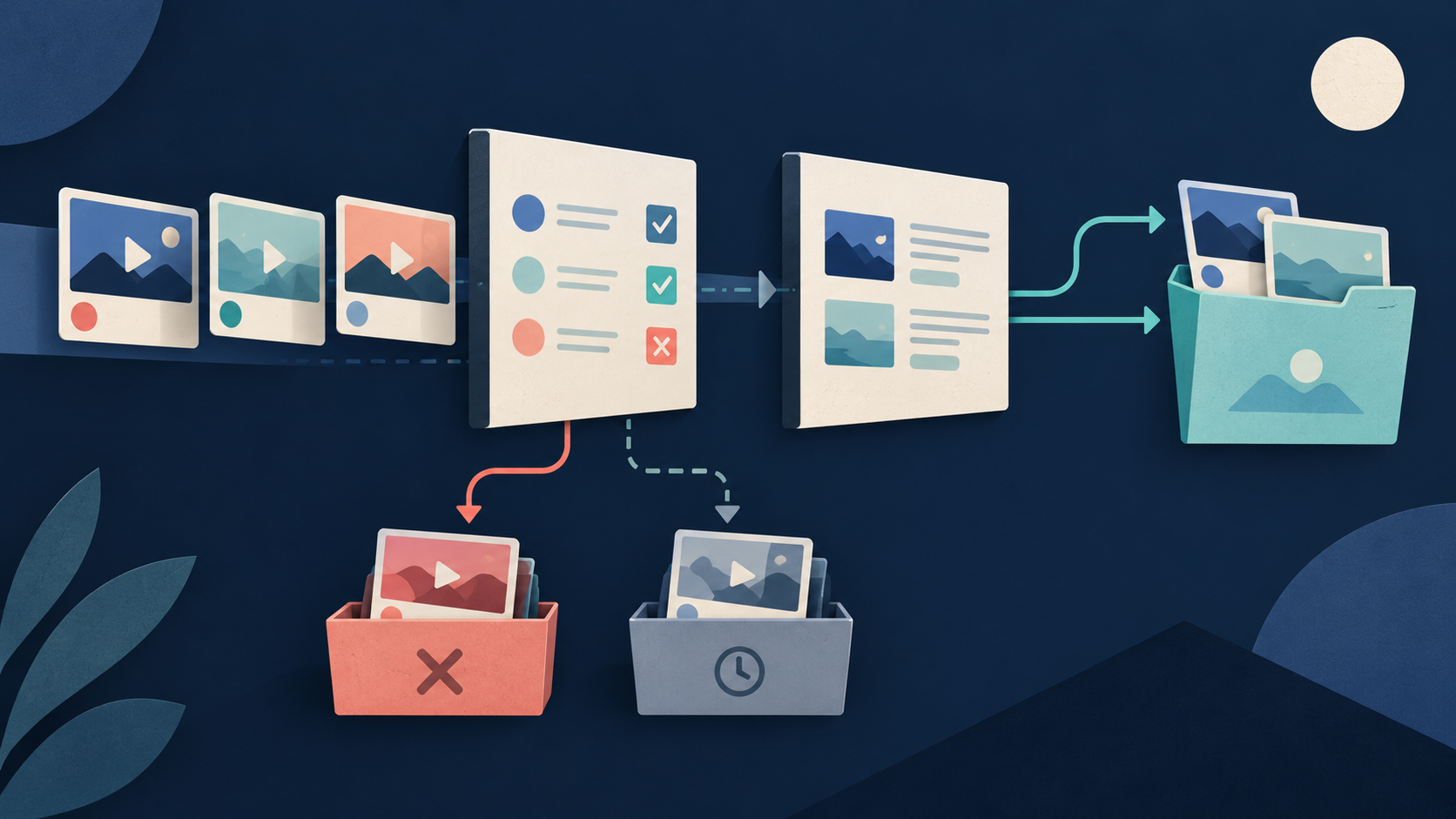
During inclusion review, select V1, V2, V4, and V5 for explicit question coverage. Exclude V3 because it is only an advertisement. Leave V6 pending because its content and date context are unverified. Four selected videos enter caption collection.
The caption results show that V1 succeeds with an English manual track, V2 succeeds with an English auto track, V4 has a typed language unavailable failure, and V5 has a source access failure. The caption dataset contains two successful rows while the ledger covers all four selected IDs. Out of four selected videos, two succeeded and two failed. V6 was pending selection, so it was not a failed caption input because it was never selected or attempted.
The final source corpus contains V1 and V2, with manual and auto differences kept. It answers only the parts supported by those videos. The questions covered only by V4 and V5 remain unanswered or must seek other eligible sources. Do not count this as word accuracy, caption coverage of all videos in the niche, or a public availability rate. It is simply this fictional selected-input success count.
The first table shows the six unique video selection rows.
| Video ID | Discovery Source | Inclusion Status | Reason or Notes |
|---|---|---|---|
| V1 | Query 1 | Selected | Explains core topic clearly |
| V2 | Query 1, Query 2 | Selected | Covers second question part (Query appearances are reader notes) |
| V3 | Query 1 | Excluded | Is only an advertisement |
| V4 | Query 1, Query 2 | Selected | Covers third topic part |
| V5 | Query 2 | Selected | Covers fourth topic part |
| V6 | Query 2 | Pending | Content and date context are unverified |
The second table shows the four caption attempt ledger rows.
| Selected ID | Discovery Source | Caption Status | Language | Failure Category or Reason |
|---|---|---|---|---|
| V1 | Query 1 | Success | English | Manual track collected |
| V2 | Query 1, Query 2 | Success | English | Auto track collected |
| V4 | Query 1, Query 2 | Failed | None | Typed language unavailable |
| V5 | Query 2 | Failed | None | Source access failure |
The third table shows the two included caption source entries.
| Included ID | Caption Status | Language | Use Scope |
|---|---|---|---|
| V1 | Success | English (Manual) | Answers core topic part |
| V2 | Success | English (Auto) | Answers second topic part |
Sources & further reading
By Chronometrica · Updated
Back to top ↑